

How to Create a Contract in Invent ERP?
How to Create a Contract in Invent ERP?
Managing recurring services, agreements, and customer commitments is easier when everything is structured and automated. Invent ERP allows you to create customer contracts and contract templates that stream line invoicing, improve accuracy, and save time.
Step-by-Step Process
Customer Contract
Step 1: Access Customer Contracts
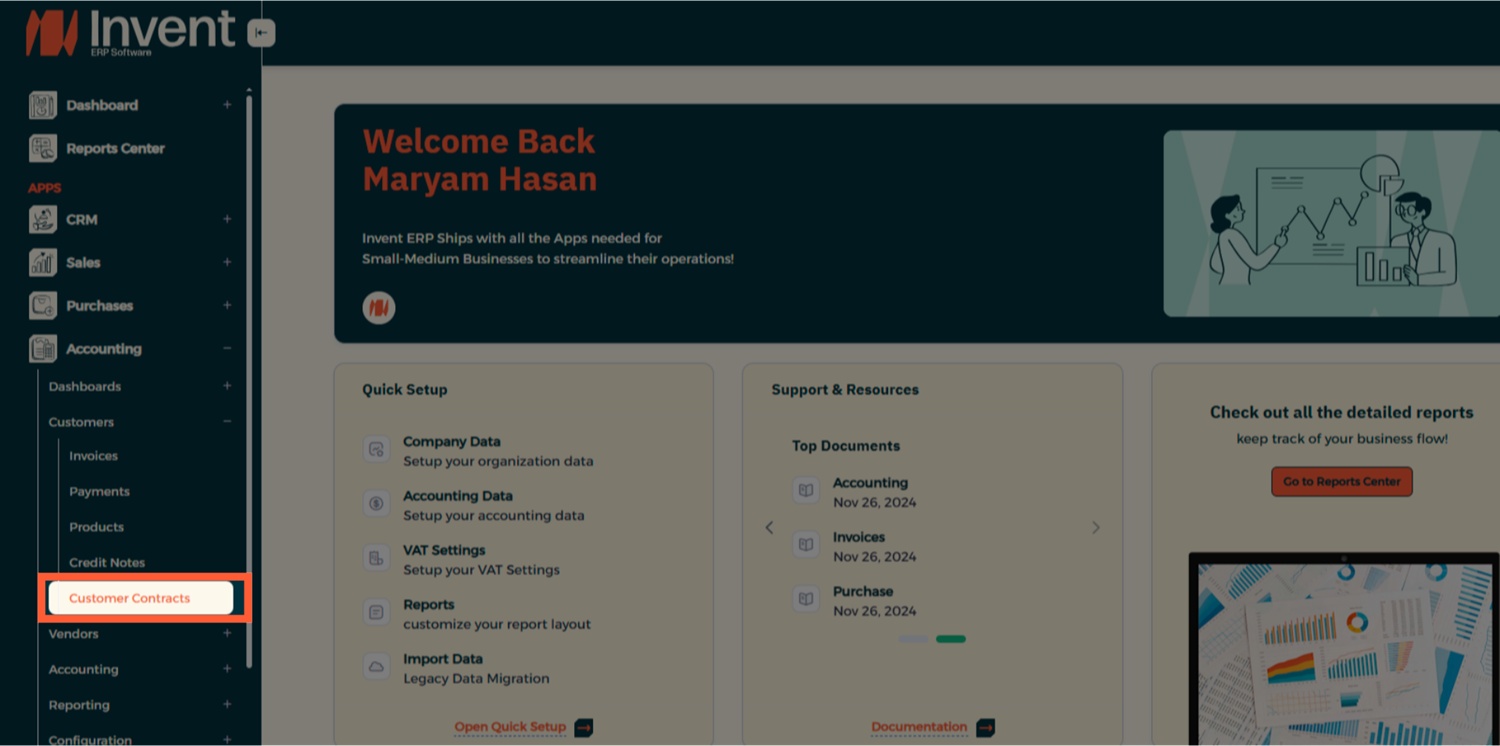
Step 2: Add a New Contract
Here, you will see a list of all existing contracts in the system. Click Add to create a New Contract.
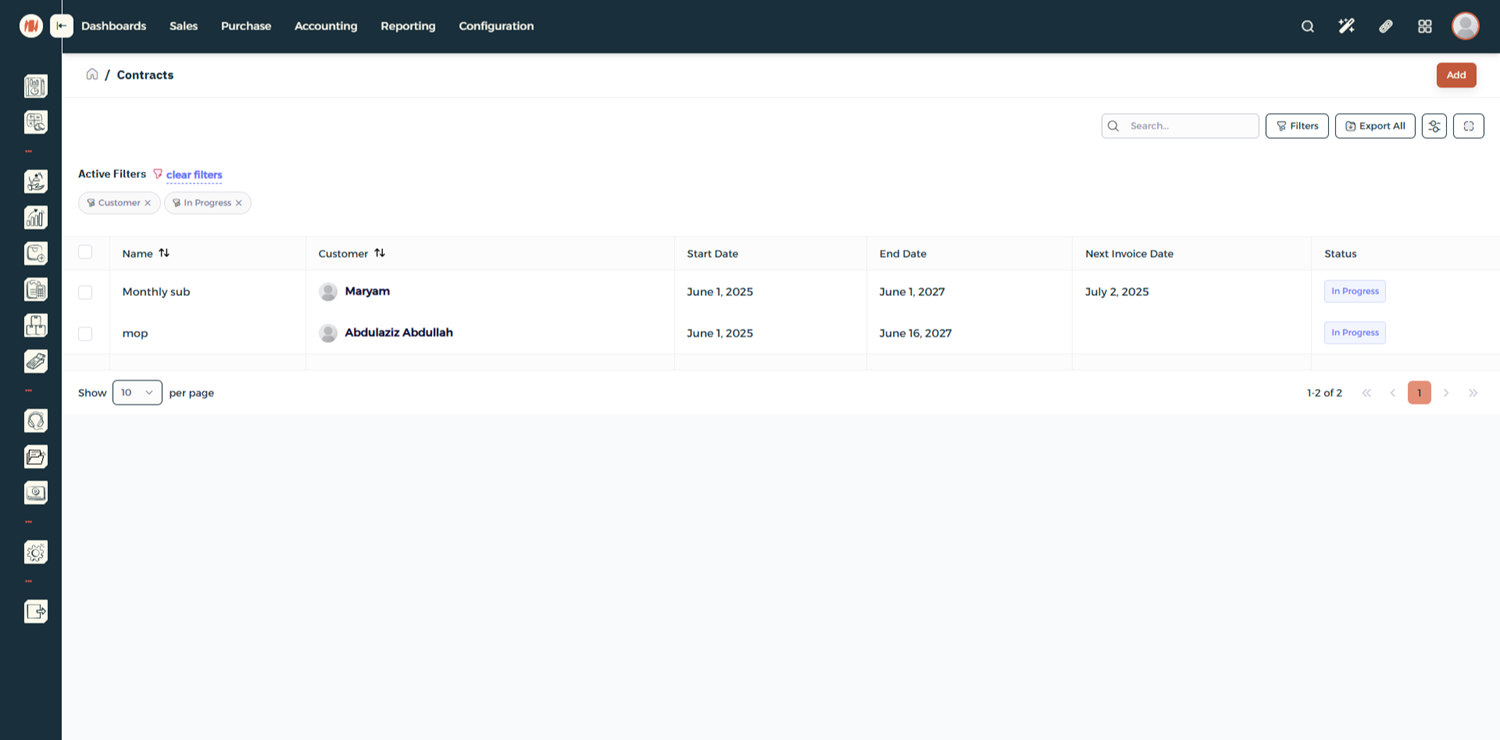
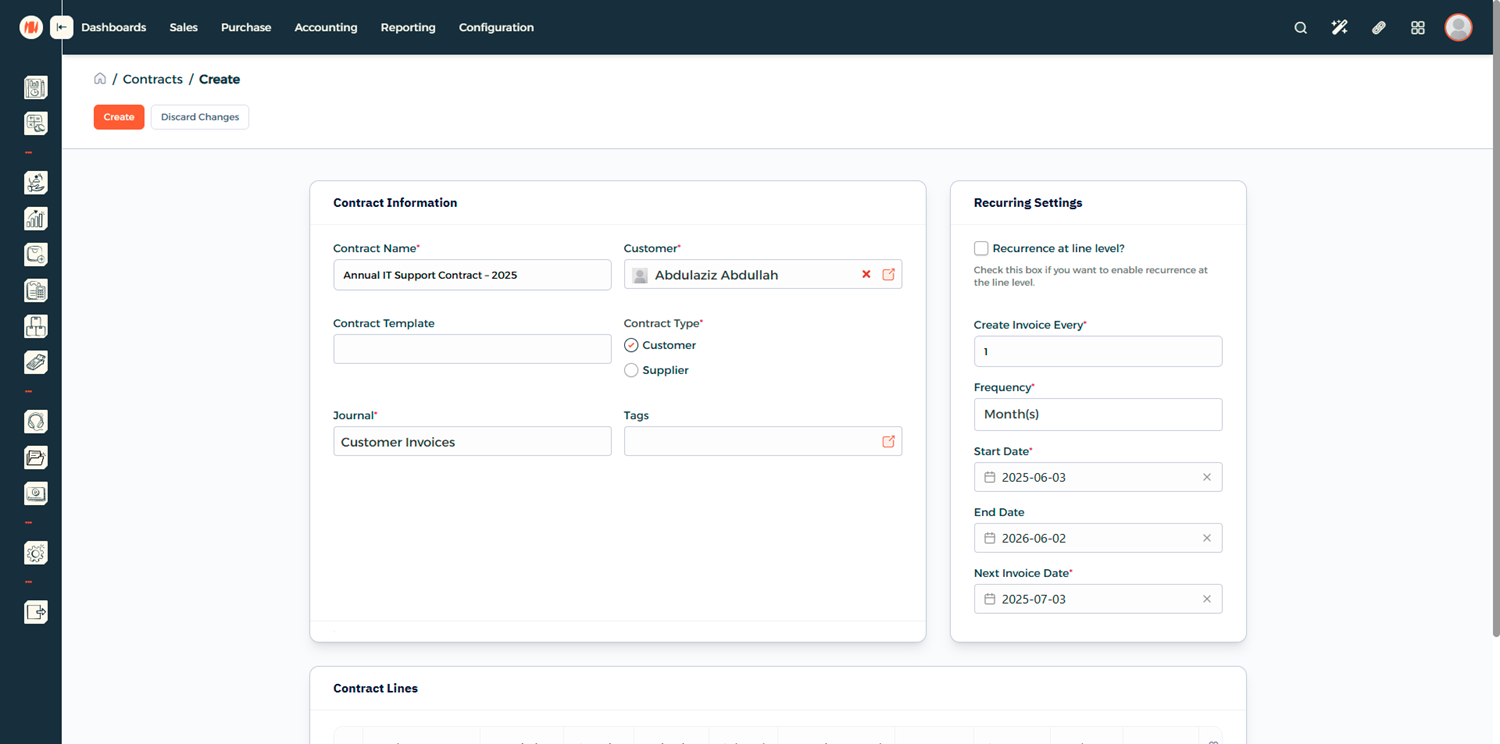
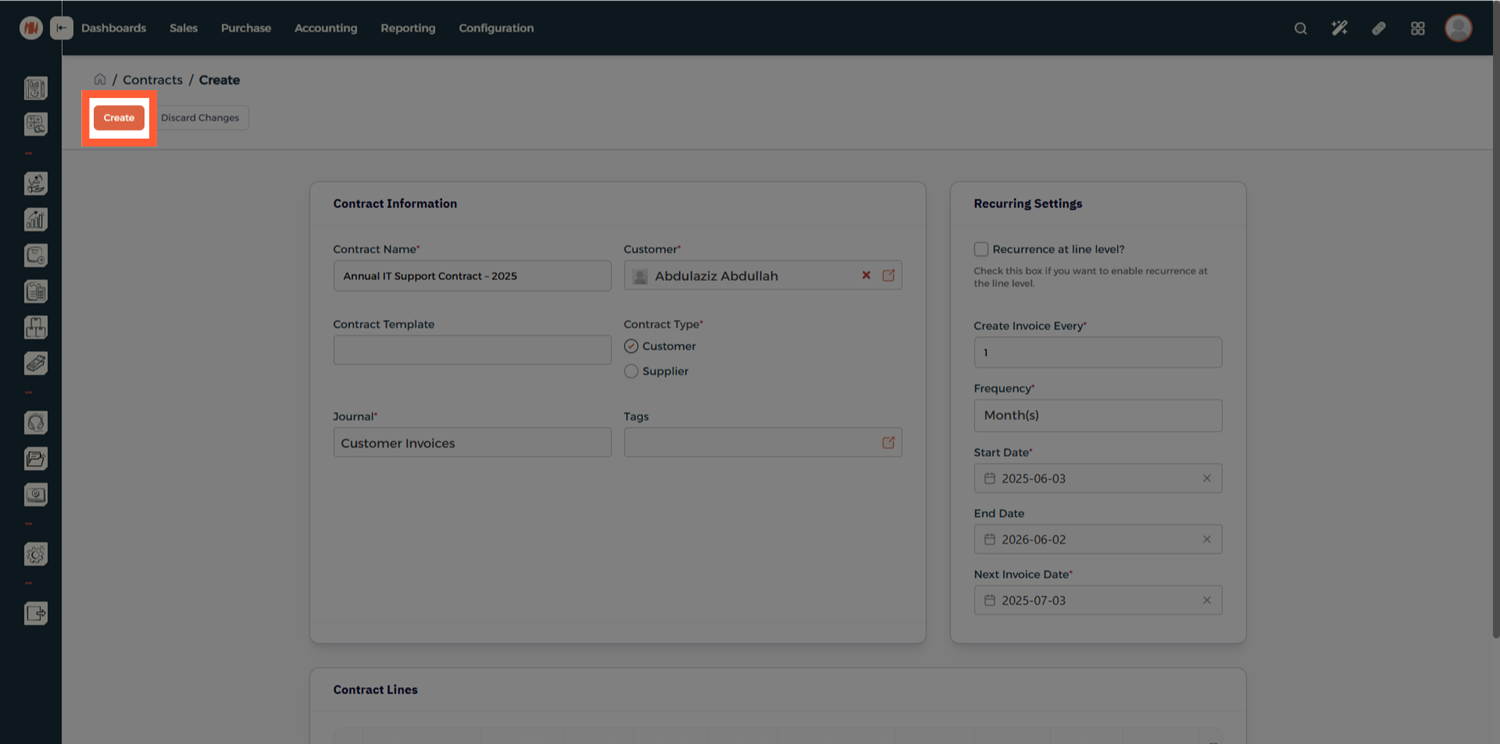
Step 3: Enter Contract Information
Fill in the main contract details:
- Contract Name – Give the contract a clear name or code
- Customer or Vendor – Link the contract to an existing partner
- Start and End Dates – Define the period this contract covers
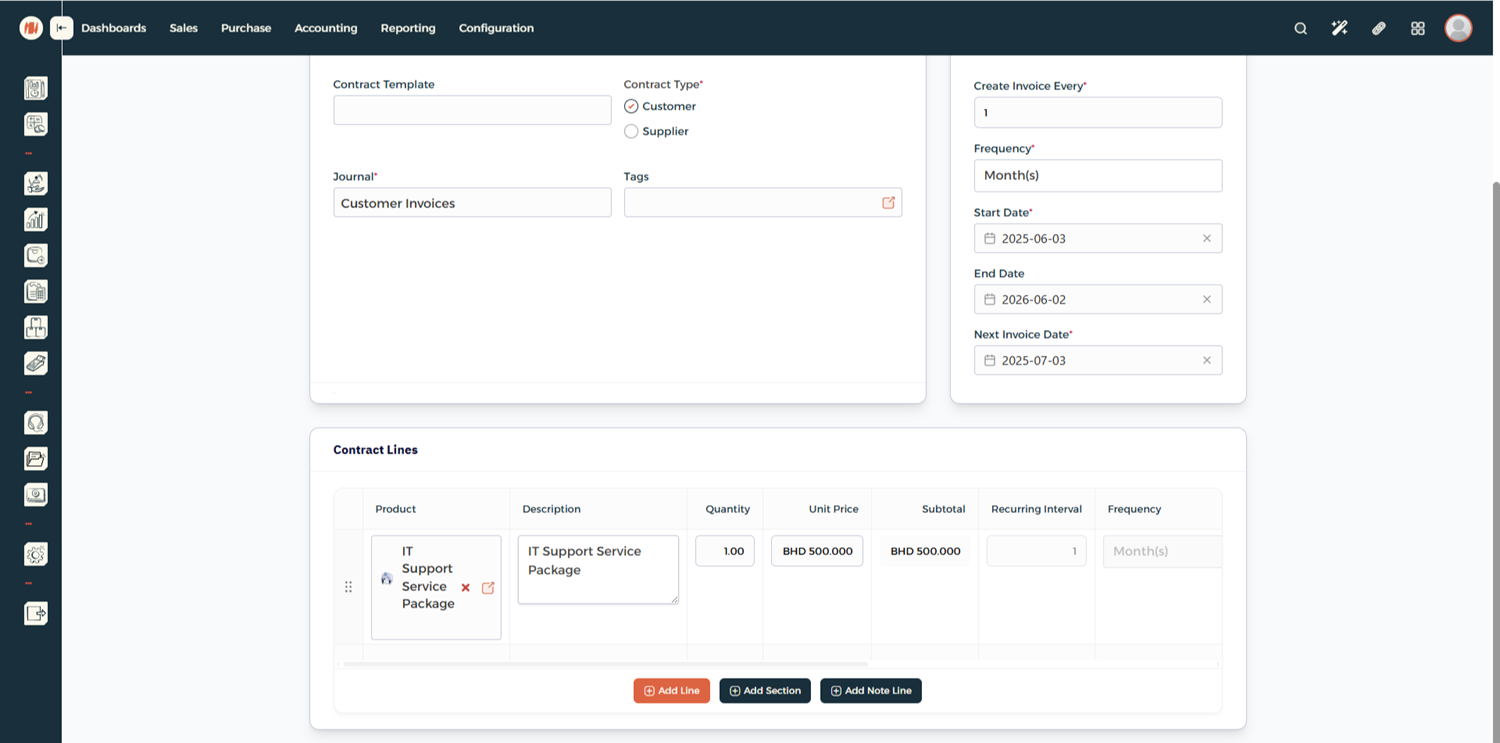
Step 4: Add Contract Lines
Scroll down to the Contract Lines section and add:
- Products or services
- Pricing and quantities
- Any applicable billing rules
Step 5: Save the Contract
Once everything looks correct, click Create to save the contract.
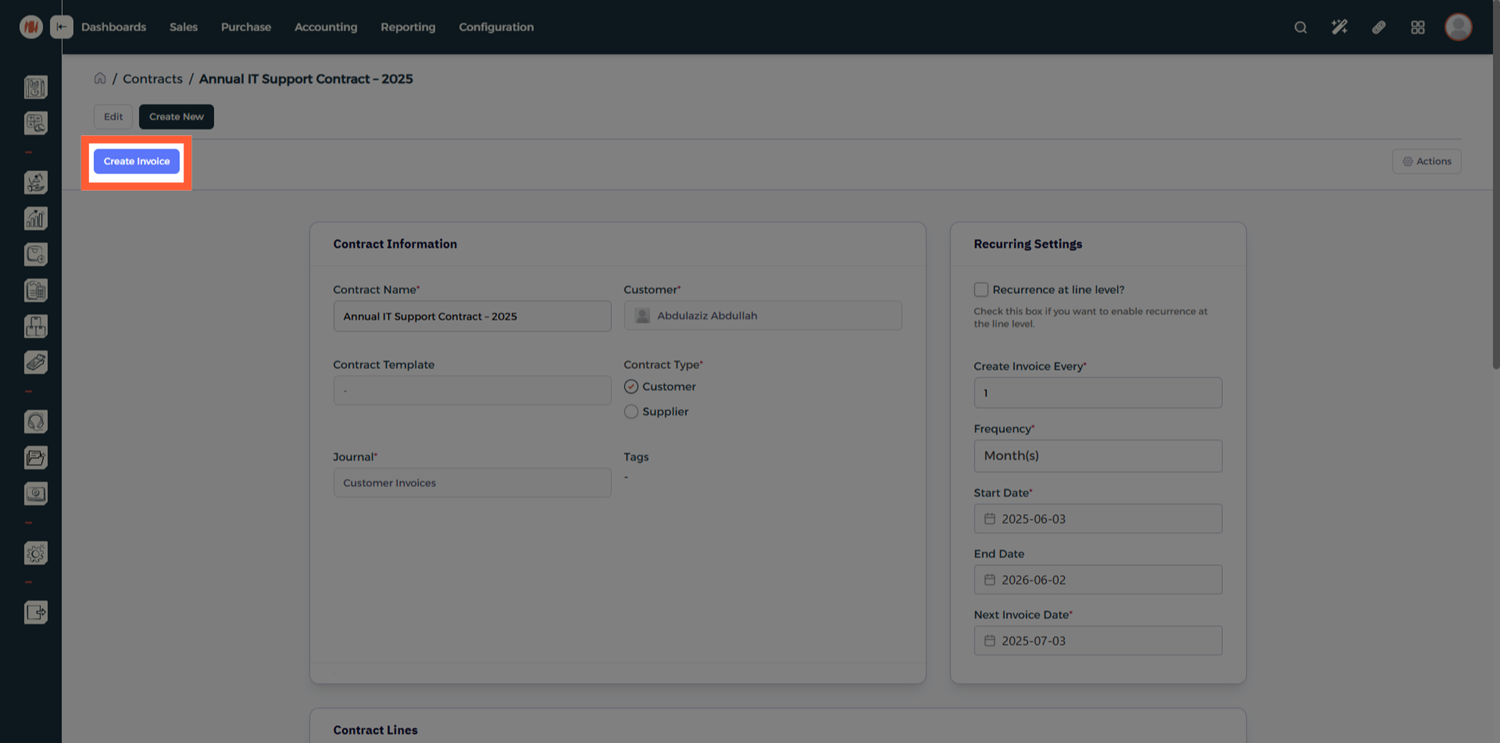
Step 6: Generate Invoices (Optional)
After saving, you can:
- Generate an invoice immediately
- Or keep the contract saved for future billing
Contract Template
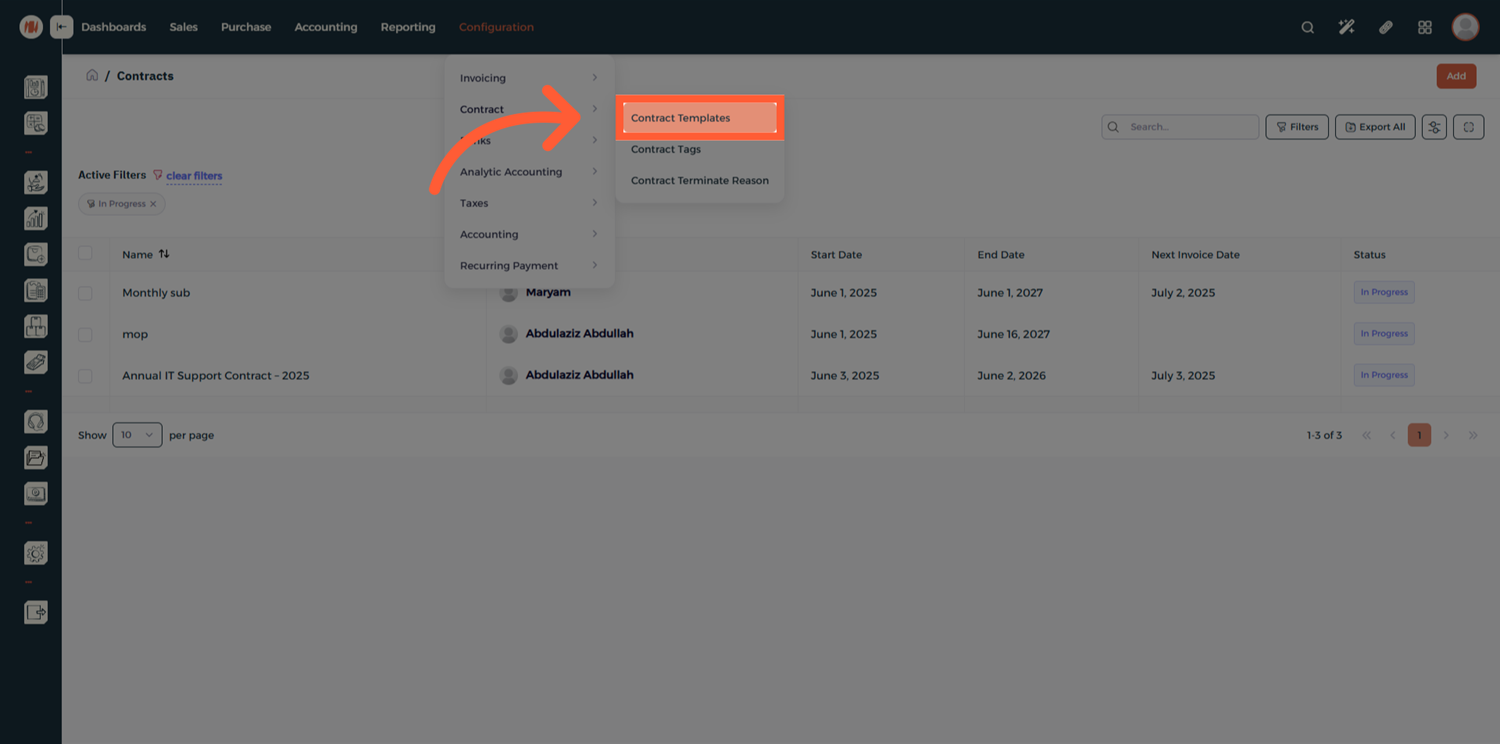
Step 1: Open Contract Templates
From the Configuration Menu, head to Contract → Contract Templates.
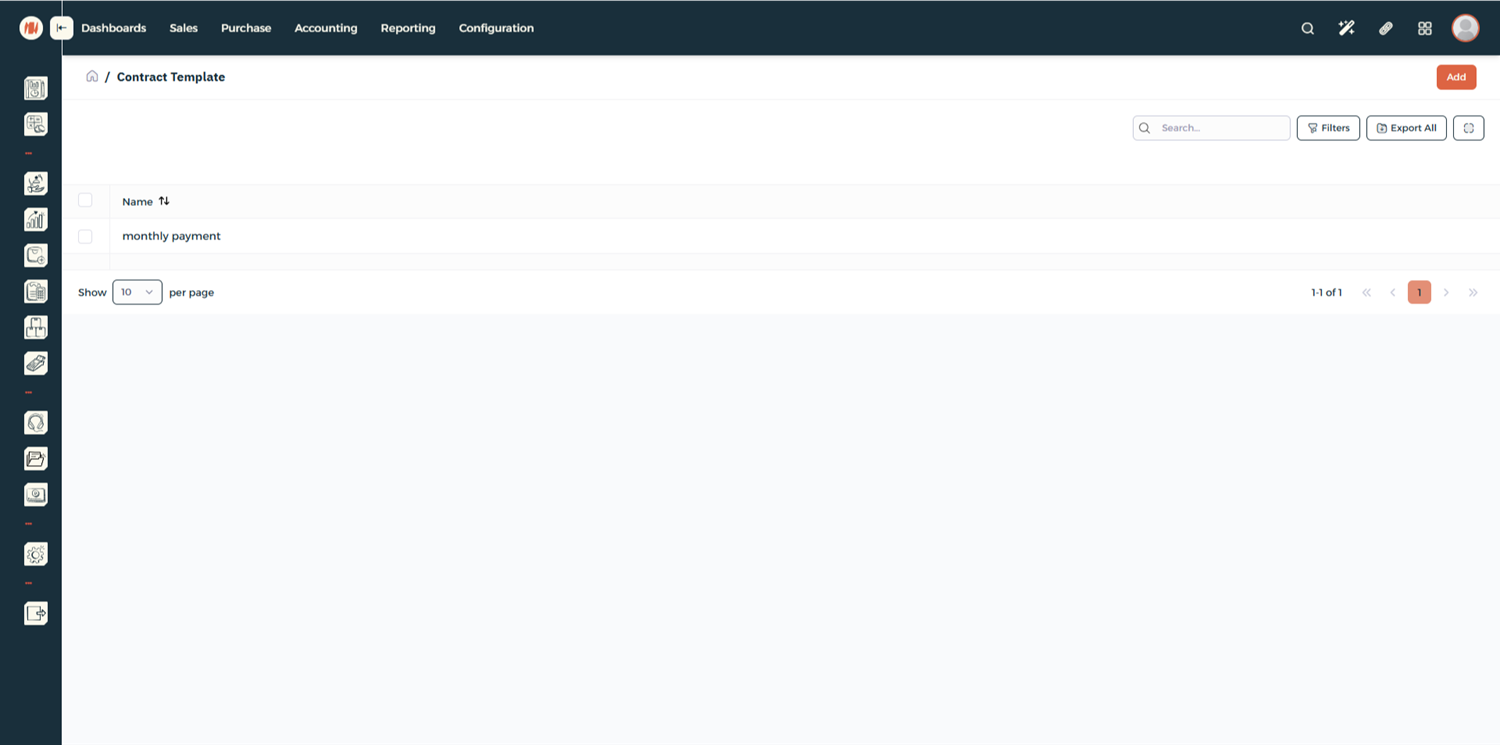
Step 2: Add a New Template
Here, you will see a list of all existing templates in the system. Click Add to create a New Template.
Step 3: Define Template Details
Fill in the template information just like a regular contract.
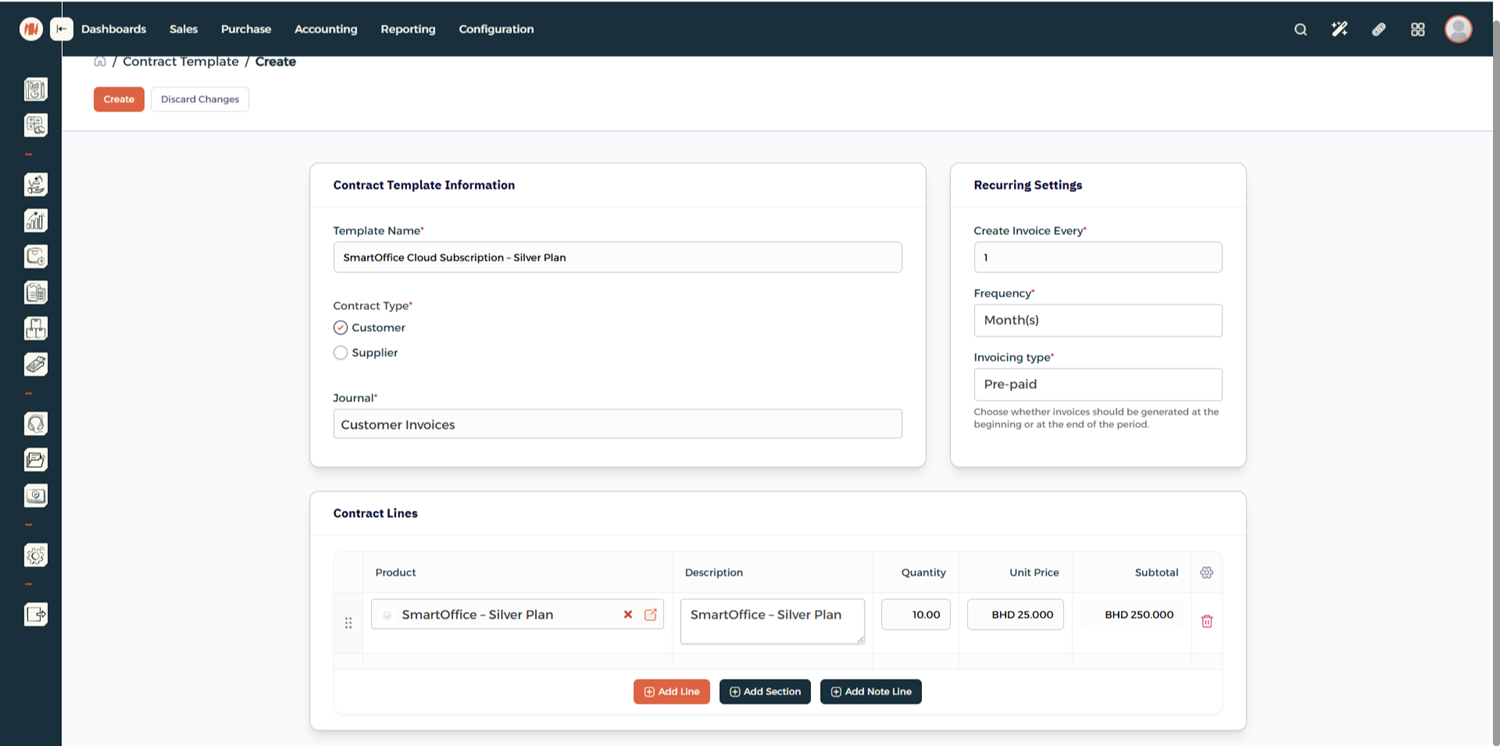
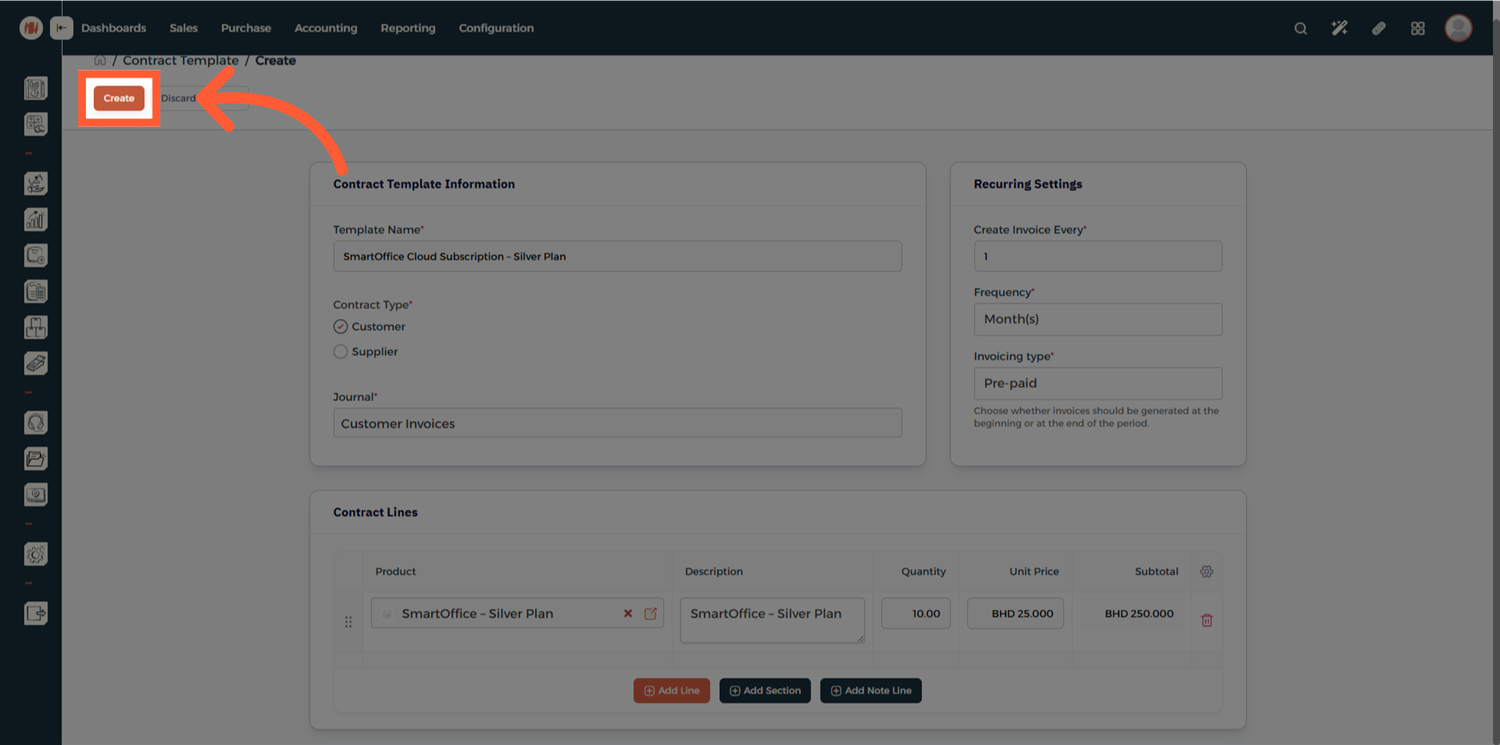
Step 4: Create the Template
Click Create to save the template.
Notes & Tips
- Contract templates are ideal for recurring services or standardized agreements.
- You can still customize individual contracts even when using a template.
- Keep all communication and attachments inside the contract record.
Frequently Asked Questions (FAQ)
Q: Can I create a contract without a template?
A: Yes, templates are optional and mainly used to speed up contract creation
Q: Can I generate invoices later instead of immediately?
A: Yes, contracts can be saved and invoiced at any time
Q: Can I edit a contract after creating it?
A: Yes, contracts can be updated as long as they comply with your accounting rules.
Q: What is the benefit of using contract templates?
A: Templates save time, reduce errors, and ensure consistency across multiple contracts.